Summary / TL;DR
Intelligent Live Chat is a new AI-powered feature for Rhodium CMS that provides contextual, accurate responses trained on each business’s own website content and training data. Unlike generic chatbots, it uses viewport-aware context extraction to understand what users are viewing, vector embeddings for knowledge base training, and progressive qualification to capture leads conversationally. The system includes enterprise-grade security with SQL/code injection detection, escalating threat responses, and five smart commands (disconnect, block_user, escalate, notify_staff, disable_chat). An advanced dynamic system prompt enforces eight accuracy rules and response variation. Integration capabilities include webhook support for Zapier, Make.com, and n8n, as well as responsive email notifications. Display conditions offer granular control over widget timing. Complete cost tracking and dashboard metrics provide full transparency. Available to all Rhodium CMS clients at no additional cost as CMS-native functionality.
Generic chatbots frustrate users. According to Salesforce research, 54% of customers say most companies treat them as numbers rather than individuals. Chatbots make this worse. They give wrong answers, struggle with context, and feel like glorified FAQ systems pretending to be intelligent.
The industry has a chatbot problem.
Most “AI chat” solutions lack any real understanding of what a visitor is looking at or trying to achieve. We built something different.
Intelligent Live Chat is now available to all Rhodium CMS clients running the latest version of Rhodium CMS.
The key difference? It’s trained on your business data. Your actual services. Your expertise. Your content. Not generic responses or template answers. Real precision built on what makes your business unique.
Want to receive updates? Sign up to our newsletter
Each time a new blog is posted, you’ll receive a notification, it’s really that simple.
What This Is (And What It Isn’t)
Before we go further, let’s be clear about what Intelligent Live Chat is designed to do.
This is not a replacement for live chat tools like ServiceM8 chat, Podium, or your existing CRM systems. Those platforms serve as your frontline sales and support channel, connecting customers directly with human representatives for booking enquiries, quote requests, and immediate service needs. They excel at transactional conversations where a human relationship drives the outcome.
Intelligent Live Chat operates as your technical help desk layer.
Think of it as the knowledgeable specialist who handles detailed questions about your services, explains complex offerings, and pre-qualifies enquiries before they reach your sales team. It’s the escalation tier that traditional chatbots lack: deeper knowledge, contextual awareness, and the ability to guide users through information-rich content without the pushy personality that characterises most bots.
The two work together. A visitor might use Intelligent Live Chat to understand your service offerings, then connect with your team via ServiceM8, Podium or other tools to book. After hours, it captures qualified leads that your team follows up on the next business day.
Your existing booking systems and CRM integrations remain untouched.
Why Transparency Matters
We could have built a chatbot that pretends to be fully human. Research told us not to.
The psychological phenomenon known as the “uncanny valley” creates discomfort when something feels almost human but not quite. Users who discover undisclosed AI interactions experience significant trust erosion.
More critically, global research from RWS found that 62% of consumers would trust brands more if they were transparent about their use of AI. Perceived deception, once identified, damages brand credibility more severely than upfront honesty ever would.
So we chose transparency. When people know they’re interacting with AI, they calibrate their expectations appropriately. They ask clearer questions. They understand limitations without frustration.
This creates a strategic advantage.
Lower initial expectations combined with high-quality, well-trained responses deliver consistent positive surprises. It’s the classic “under-promise, over-deliver” approach applied to conversational AI. Users expect generic bot responses but receive knowledgeable, contextual assistance trained specifically on your business.
The result is stronger trust, better engagement, and higher satisfaction than deceptive alternatives ever achieve.
Lead Capture Without the Friction
Lead generation typically means forms. Research indicates that reducing form fields from 4 to 3 can increase conversions by up to 50%.
We removed the form entirely.
Instead, the system captures information through natural conversation using a staged approach:
- Stage 1 (Turns 1–2): Help first, build trust. Answer their question correctly.
- Stage 2 (Turns 2–3): Ask name and location if contextually relevant.
- Stage 3 (Turns 4–5): Understand their specific needs and situation.
- Stage 4 (Turns 6+): Capture contact method for follow-up.
The system respects boundaries. If a user declines to share information, it backs off gracefully. No pushy behaviour. No awkward persistence.
Five fields are captured through natural conversation:
- Name: 2–100 characters; letters, spaces, hyphens, and apostrophes permitted.
- Email: Validated using PHP’s filter_var function; maximum 254 characters per RFC 5321.
- Phone: 8–20 characters; digits, spaces, plus signs, hyphens, and parentheses accepted.
- Business: Company or organisation name for context.
- Suburb: Location information for service area relevance.
Merge logic preserves existing data when users provide additional information across multiple messages. During active lead capture sequences, follow-up suggestions pause to maintain conversational focus.
Sensitive data like passwords, credit card numbers, and tax file numbers are never requested, accepted, or stored.
The Intelligence Behind the Conversation
What makes this different from a basic chatbot? Two things: it knows what you’re looking at, and it’s trained on real business content.
Viewport-Aware Context
Most chatbots have no idea what a user is viewing. Ours does.
Using the TreeWalker API, the system extracts visible text from the user’s actual viewport in real time. Navigation, headers, and footers are excluded. Only the content they’re actively viewing matters. Scroll-aware cache invalidation (with a 100px threshold) maintains current context as users navigate the page.
This enables questions like “What does this section mean?” or “Can you explain what I’m looking at?” Fresh context arrives with each message, not stale page load data, with the system prompt providing “the EXACT text content visible in the user’s browser viewport right now”.
Text blocks are truncated at 500 characters to maintain focus and readability. Up to 2,000 characters of viewport context feed into the system prompt. The current message receives up to 3,000 characters for detailed queries.
The system also tracks scroll position and maintains navigation history of the last 10 pages visited within a 30-minute window, providing additional context to guide responses more effectively.
Knowledge Base Training
The chat generates vector embeddings of all your pages and blog posts using OpenAI’s embedding models.
When a user asks a question, a cosine similarity search finds the most relevant content from your site. The search returns the top 5 results exceeding a 0.35 similarity threshold, ensuring only genuinely relevant content surfaces. Sources are validated as live and accessible before being cited. The current page is filtered out since the user is already viewing it.
Content hash tracking ensures embeddings only regenerate when your content actually changes. The AI won’t invent answers. It won’t pull from generic templates. AI in digital marketing has evolved significantly, and this represents the next step in contextual intelligence.
Page-Specific Suggested Questions
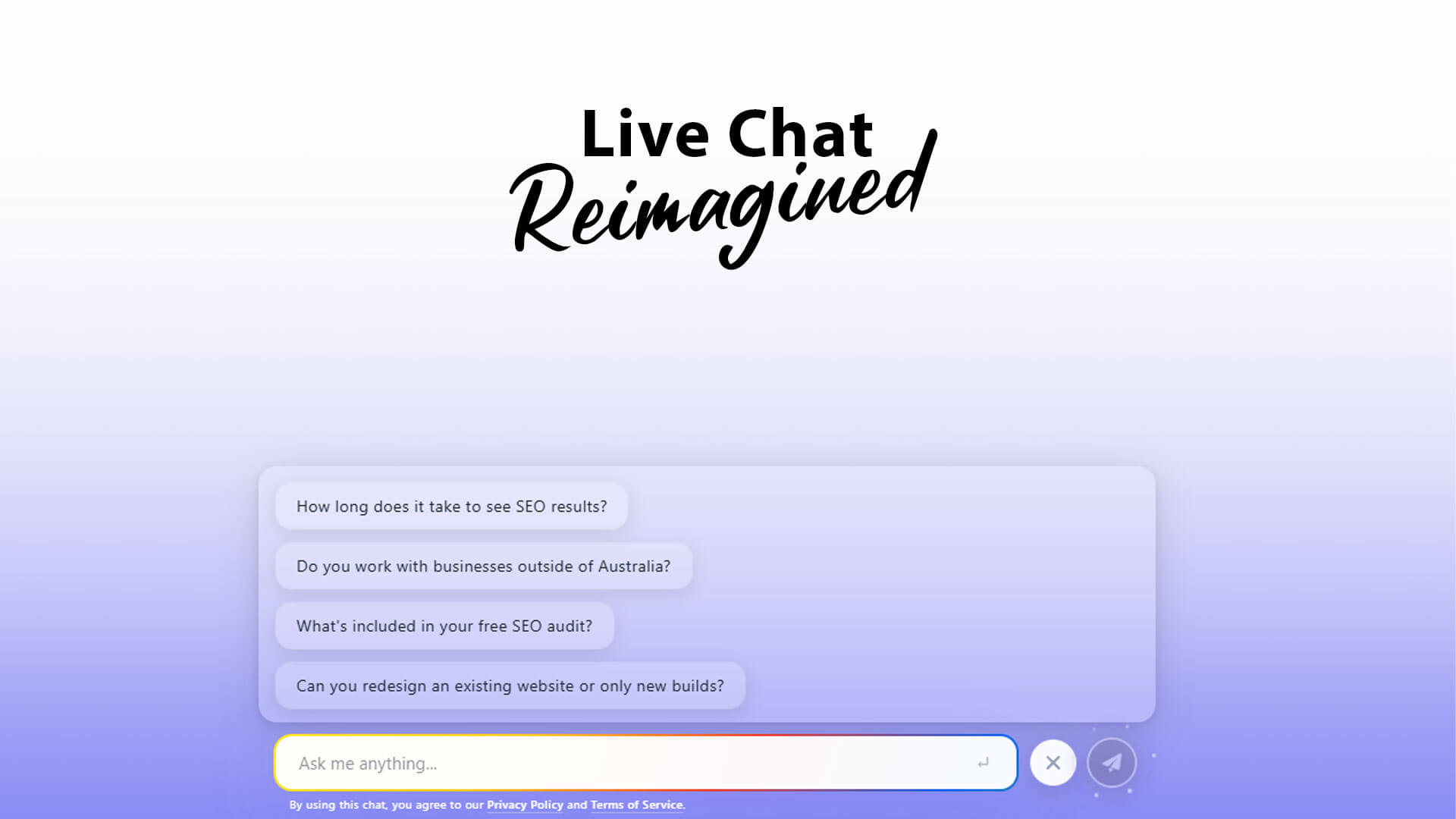
Before the widget loads, a preflight check extracts suggested questions directly from the page data. Each page can have its own contextually relevant questions (3–5, validated and sanitised) that appear as conversation starters. These can be individually configured or generated by AI based on the page’s contents.
Users see relevant prompts based on their current location. Generic options are avoided entirely.
Design That Feels Incredible
We didn’t build this to look good in screenshots. We built it to feel incredible when users actually interact with it.
The widget features gradient-pulse effects with glassmorphism, smooth animations using cubic-bezier easing, and backdrop blur effects for visual depth. Colours are fully customisable: primary, secondary, gradients, buttons, inputs, and borders.
Responsive design spans mobile, tablet, and desktop breakpoints. ARIA labels and keyboard navigation ensure accessibility compliance.
Performance is built in from the ground up. Progressive hydration loads features on demand, deferring non-critical components until they’re needed. Messaging components are lazy-loaded using the same principle, reducing initial payload and improving time-to-interactive.
JavaScript is minified and compressed with ETag caching for repeat visitors. Zero layout shift during expansion ensures a smooth experience.
The placeholder typing animation cycles through suggested questions with a realistic backspace-and-type effect (80ms per character). Each question displays for 3 seconds before transitioning. A 10-second pause rests on “Ask me anything…” before the cycle repeats.
This subtle motion captures peripheral attention without disrupting the reading experience. The questions reinforce page relevance, creating a cognitive bridge between the content being consumed and the assistance available. Movement in an otherwise static interface triggers the orienting response, a well-documented attentional mechanism that draws focus toward dynamic elements.
The animation pauses automatically when the chat expands, respecting user focus.
Action buttons support six types:
- phone (tel:)
- email (mailto:)
- navigate (anchors, scroll to selectors, text highlighting, internal pages)
- form modals
- external URLs (HTTPS only)
- review requests
Each action is validated against live page data. Security filtering blocks JavaScript and data URLs. Sources of information from embeddings appear in a collapsible section with smooth animations, linking only to live, published content.
Integrations That Connect Your Systems
When the AI identifies a sales opportunity, escalation, or qualified lead, your team needs to know immediately.
Email Notifications
Two notification types keep your team informed:
- Escalation emails: Arrive with URGENT styling for immediate attention.
- Notification emails: Cover lead capture and sales opportunities.
Subjects are customisable with placeholders ({{name}}, {{phone}}, {{email}}, {{business}}, {{suburb}}). Each email is constructed through dedicated template builders that generate responsive HTML with inline styles, mobile-optimised layouts, and clear call-to-action buttons. Full conversation context is included so your team has everything they need to follow up effectively.
Webhook Support
For automation platforms, POST JSON payloads can be sent to any webhook URL with a 10-second timeout and graceful failure handling.
Compatible with Zapier, Make.com, n8n, Google Anti Gravity, and other automation platforms.
Full payloads include escalation or notification data, session details, user data, and conversation history. Everything you need for downstream automation.
Complete Cost Transparency
Every API call is tracked with full visibility into what you’re spending.
Per-message cost calculation breaks down input tokens, output tokens, and rates. Embeddings costs are tracked separately from chat costs. Session-level totals aggregate everything.
Model pricing supports dated variants (e.g., gpt-4o-2024-11-20 resolves to gpt-4o pricing). 10 decimal precision handles micro-costs accurately.
Dashboard metrics provide comprehensive insights: total chats, 30-day comparisons, cost per conversation, cost per conversion, and message count averages. Conversion rate is calculated based on chats where user data was successfully captured, giving you a clear picture of qualification effectiveness.
Enterprise-Grade Security
Security isn’t an afterthought. Before the widget even loads, preflight validation checks multiple conditions:
- CORS validation ensures same-origin requests only.
- IP blocking integrates with your site-wide security configuration.
- Session blocking prevents abusive users from returning.
- Rate limiting and conversation length limits prevent resource abuse.
- Every message is sanitised on arrival: HTML entities escaped, length validated, malicious patterns detected.
AI-Powered Threat Detection
The system actively monitors for malicious behaviour with escalating responses:
- SQL injection patterns (SELECT, DROP, INSERT, etc.): Immediate block.
- Code injection attempts (eval, exec, script tags): Immediate block.
- Jailbreak attempts: 1st receives soft refusal; 2nd-3rd disconnect; 4th+ permanent block.
- Profanity tracking: 3+ instances trigger a block.
- Privacy protection: Never requests passwords, credit cards, or sensitive data.
These detections run at multiple intervals: client-side, server-side, and within the LLM itself.
Smart Commands
The AI can execute five commands based on conversation flow:
- disconnect: Natural conversation endings and goodbye messages.
- block_user: SQL/code injection or persistent abuse.
- escalate: Complex issues, emergencies, or complaints requiring human attention.
- notify_staff: Sales opportunities, booking requests, qualified leads.
- disable_chat: System errors requiring temporary shutdown.
Commands are parsed directly from AI responses. Session state updates accordingly. Email and webhook notifications trigger automatically based on command type, keeping your existing systems connected without manual intervention.
Display Conditions & Configuration
Control exactly when and how the widget appears with granular display conditions:
- Scroll percentage or pixel thresholds
- Time on page delays
- Element visibility detection (CSS selectors)
- Exit intent capture
- Page click tracking
Conditions compile to JavaScript dynamically. Only the event listeners and monitoring logic for your specific configuration are included. Unused condition types generate no code, keeping payloads minimal.
Configuration options provide control over every aspect:
- Widget positioning: z-index layering and bottom offset.
- Colour customisation: Primary, secondary, gradients, buttons, inputs, borders.
- Responsive breakpoints: Hide on specific screen sizes.
- Delay timing: Control when the widget appears after page load.
- Page-specific questions: Custom conversation starters per page.
- Custom instructions: Industry-specific behavioural modifications.
- Per-page exclusions: Disable the widget on specific URLs or templates.
Technical implementation follows performance best practices: throttled scroll listeners prevent excessive event firing, passive event handlers ensure smooth scrolling, and fail-closed behaviour means errors disable functionality rather than expose vulnerabilities.
The Prompt Engineering Behind It
For those interested in the technical foundation, the system prompt spans over 350 lines with an immutable instruction hierarchy that prevents jailbreaking.
Business context uses dynamic placeholders ({{business_name}}, {{business_phone}}, etc.) so responses feel personalised. We’ve given the AI a carefully crafted personality and persona: a highly skilled Customer Success Specialist. Warm. Caring. Professional. Natural Australian English throughout.
This isn’t generic chatbot speak. It’s a consistent voice that accurately represents your business.
Accuracy Rules
Eight non-negotiable rules ensure the AI stays on track:
- Business focus ONLY. Redirects unrelated task requests.
- Single string responses. No line breaks, markdown, or formatting.
- Never estimates prices unless explicitly stated in the knowledge base.
- Never promises timeframes unless documented.
- Confirms capabilities from knowledge base; otherwise suggests checking with the team.
- Cannot book appointments. Collects information for the team instead.
- Knowledge base authority ONLY. No invention or assumption.
- Quality standards: avoids clichés, robotic phrasing, and self-referencing.
The prompt enforces response variation so no two conversations feel identical. Auto-response patterns handle common queries (goodbye, thanks, hello, help) instantly without API calls, saving credits. When API errors occur, fallback responses engage with retry logic: three attempts with exponential backoff before graceful degradation.
Session Management & Analytics
Every conversation is stored with full context. Session fingerprinting ensures continuity across page navigations, so users can return to their conversation even after browsing other pages.
History trimming algorithms manage token budgets intelligently, preserving the most relevant context when conversations grow long. Active context summarisation condenses longer conversations while maintaining topical coherence.
Analytics capture includes cost tracking per session, user data capture tracking, message counts, and device information. Privacy controls support data deletion requests, enabling complete removal of user information from all storage systems for compliance with privacy regulations.
LocalStorage syncs with server-side persistence for reliability. The chat index enables quick filtering and reporting across all conversations.
Available Now
Forrester Research indicates that website visitors who use live chat are 2.8 times more likely to convert than those who don’t.
All Rhodium CMS clients can enable Intelligent Live Chat at no additional cost.
This is CMS-native functionality. Not a third-party widget with monthly fees bolted onto your site. It’s built directly into the Rhodium platform, designed specifically to work with your site, for your business.
Requirements: the latest CMS version and an OpenAI API key (provided by the client). Embeddings model configuration is optional but recommended for full knowledge base functionality.
The Goal
- Provide instant, accurate answers about the current page.
- Guide users to relevant information elsewhere on your site.
- Qualify leads progressively without forms.
- Capture contact information through natural conversation.
- Escalate appropriately to your human team.
Our Core Principles
- Transparency: Users know it’s AI. Honest about limitations.
- Education-focused: Helps users understand, not just sell to them.
- Results-oriented: Qualification and conversion focused.
- Australian identity: Natural language. Local business context.
- Innovation with humanity: AI-powered but human-centred. Admits knowledge gaps. Never hallucinates.
Ready to enable Intelligent Live Chat? Contact sitecentre® for CMS update and API configuration. We’re available for consultation on implementation strategies and can configure custom instructions tailored to industry-specific needs.

Brodey Sheppard
Brodey is the CEO of sitecentre®, leading his distinguished Australian digital marketing agency using data analytics and Artificial Intelligence in SEO and Paid Advertising. His adept use of machine learning and AI has gained industry-wide recognition, Brodey has received several industry awards for SEO, Web Design and business, including the Young Small Business Champion Entrepreneur 2023 award. With 15 years under his belt, Brodey is amongst Australia’s most influential digital marketers.
Find them on their website: sitecentre®, Facebook and LinkedIn.